

VAT records and the summary record on SEF
From fiscal receipts and invoices that did not go through SEF, the app builds a proposed summary VAT record, and you can also record any issued invoice individually. You also get POPDV and VAT return data prepared, with checks against SEF and the books.
- Entrepreneurs in the VAT system
- LLCs (DOO) in the VAT system
- Retail and hospitality in VAT
- Accountants of VAT payers
The demo account lasts 10 days and we set it up together with you. Plan prices exclude VAT and are on the Pricing page.
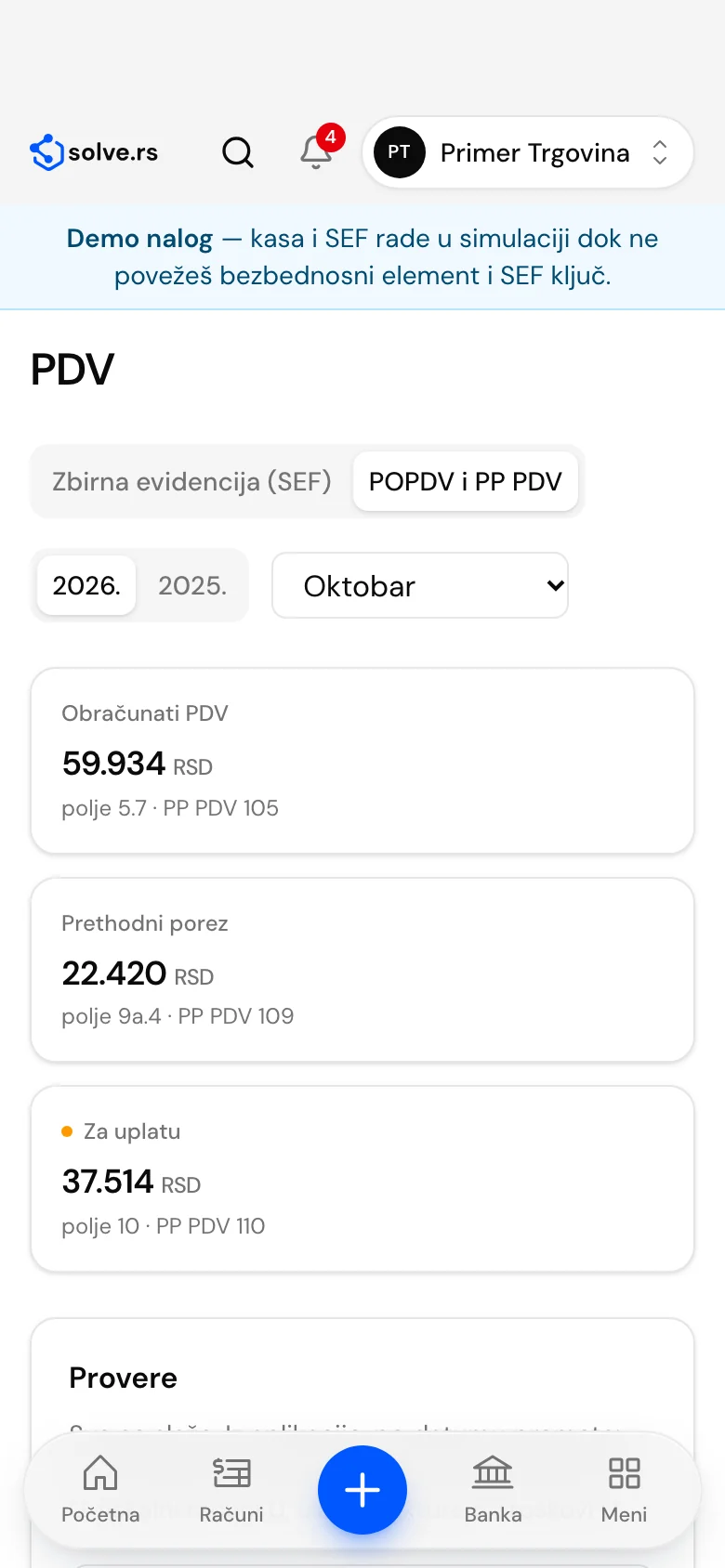
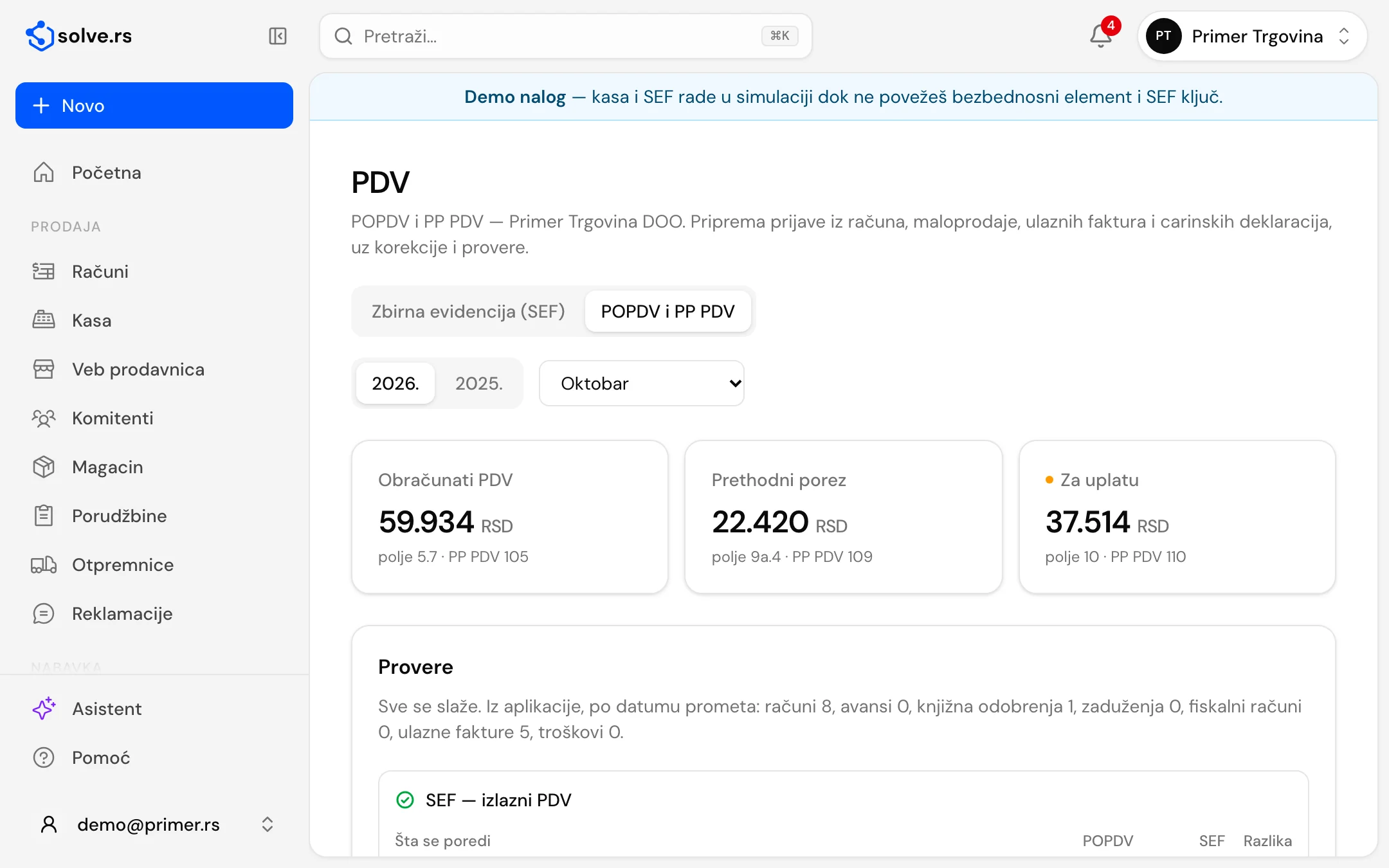
At a glance
- for monthly and quarterly VAT payers
- Month or quarter
- base and VAT by rate in the summary and individual records
- 20% and 10%
- all 11 parts, with an XML for import into ePorezi
- POPDV
- preparation of the PPP PDV and the new PP PDV with attachments
- From 2027
Summary and individual VAT records
Turnover with no e-invoice is recorded on SEF from the app, with nothing to retype into the portal.
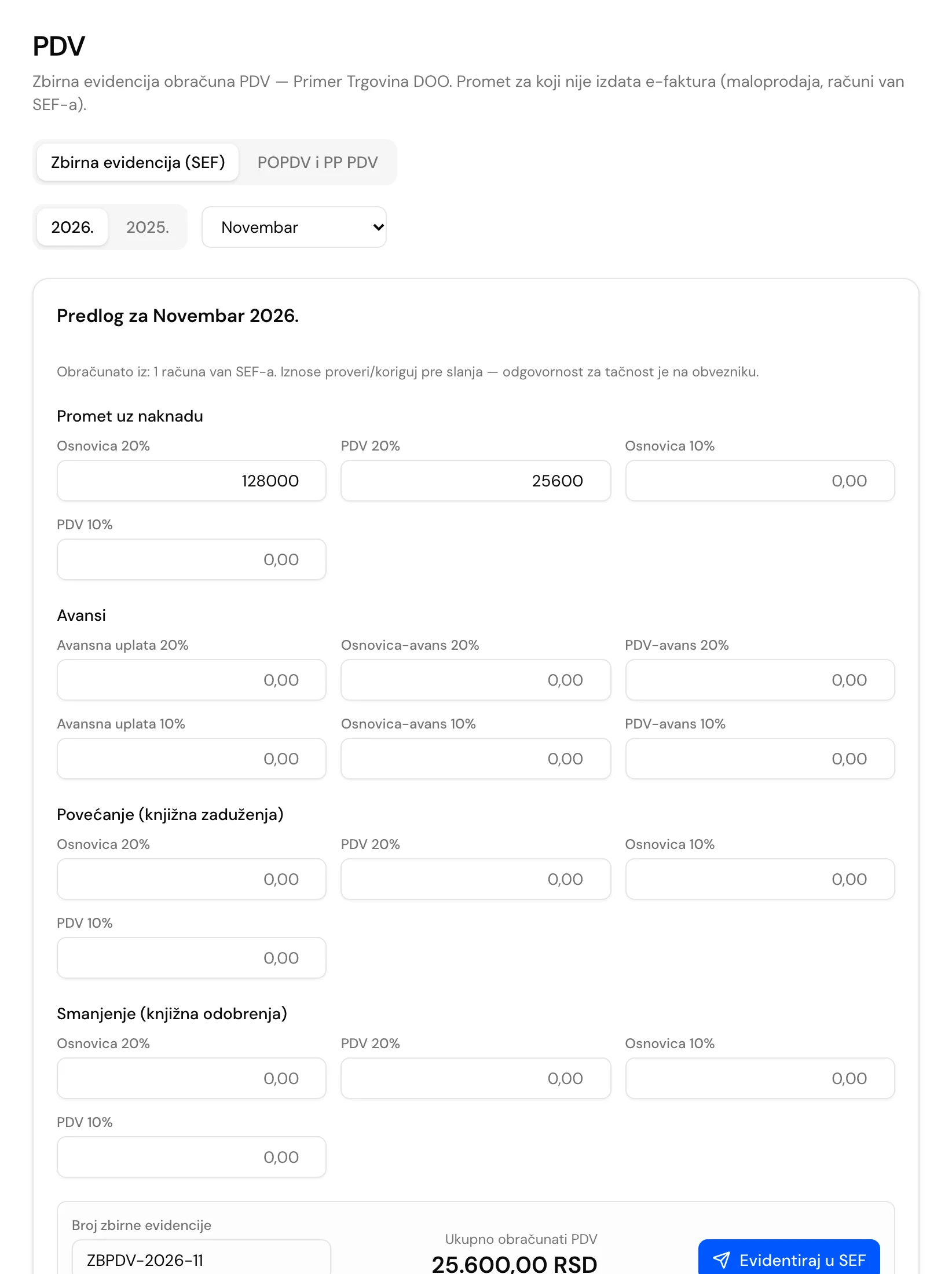
A proposed summary record
For the chosen period the app adds up fiscal receipts and invoices that did not go through SEF: turnover for consideration at 20% and 10%, advances, debit notes and credit notes. You review the amounts and edit them if needed before sending.
Sending and cancelling
The “Record on SEF” button sends the summary record with your record number. A period has one active record, the sending history stays in the app, and a correction means cancelling and sending a new one.
An individual record from the invoice
An invoice, advance invoice, credit note or debit note with VAT issued to a domestic legal entity or entrepreneur outside SEF is recorded from the document menu, and the record can be cancelled. A final invoice after an advance carries the full turnover and a link to the advance invoice.
Month or quarter
You pick the period from a list of months and quarters. The proposal opens for the previous month by default, because the record is sent after the period ends.
POPDV and data for the VAT return
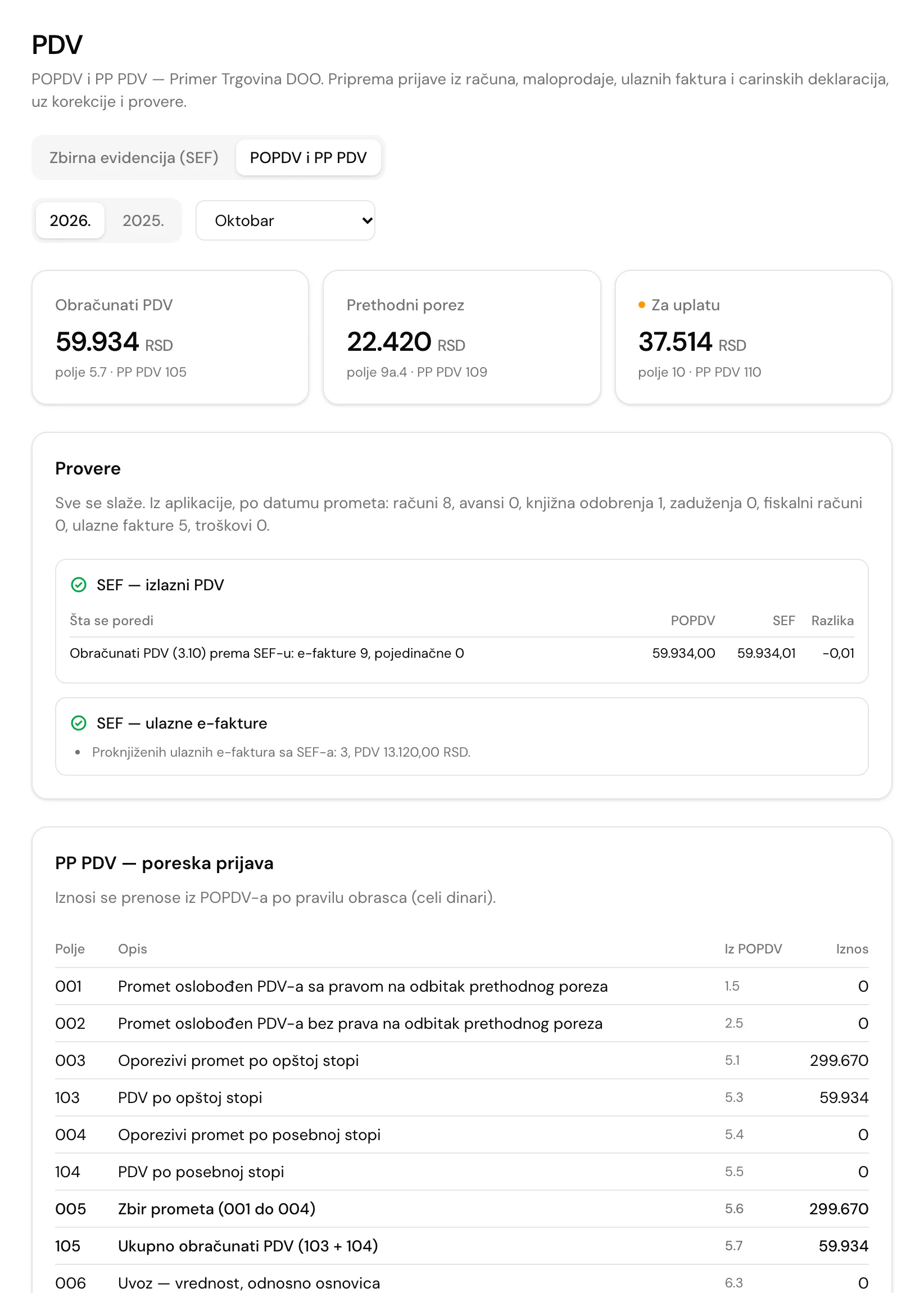
For the chosen period the fields are filled from invoices, retail sales, received invoices and customs declarations. What the app cannot know, the accountant enters as an adjustment.
Classified on the document
An issued invoice carries a turnover category, and a received invoice carries an input VAT type: e-invoice, fiscal receipt, other receipt, internal invoice (foreign person or VAT payer) or import with VAT paid. Purchases without VAT follow the supplier’s status, and unclear cases go to a “check” list.
All 11 parts of the form
The POPDV form is calculated by field and column, and the PP PDV return is carried over from it by the form’s rules, in whole dinars.
Accountant’s adjustments
Fields that depend on the accountant’s decision, such as proportional deduction or special schemes, are entered as an adjustment by field, column and period. The adjustment is added to the calculated amount.
Checks against SEF and the ledger
Calculated VAT is compared with e-invoices, individual records and the summary record on SEF, and received e-invoices that are not yet booked are flagged. Companies with double-entry bookkeeping also get a comparison with the general ledger.
Customs declarations
You enter imports as customs declarations (import, increase and decrease of the base), and part 6 and the VAT paid on import are filled from them.
XML for ePorezi
For periods up to December 2026 you export an XML in the Tax Administration’s schema and import it on ePorezi, where you review and sign the return. You enter the responsible person, email and municipality, and for an amended return the number of the return being amended.
Preparing the PPP PDV and the new PP PDV
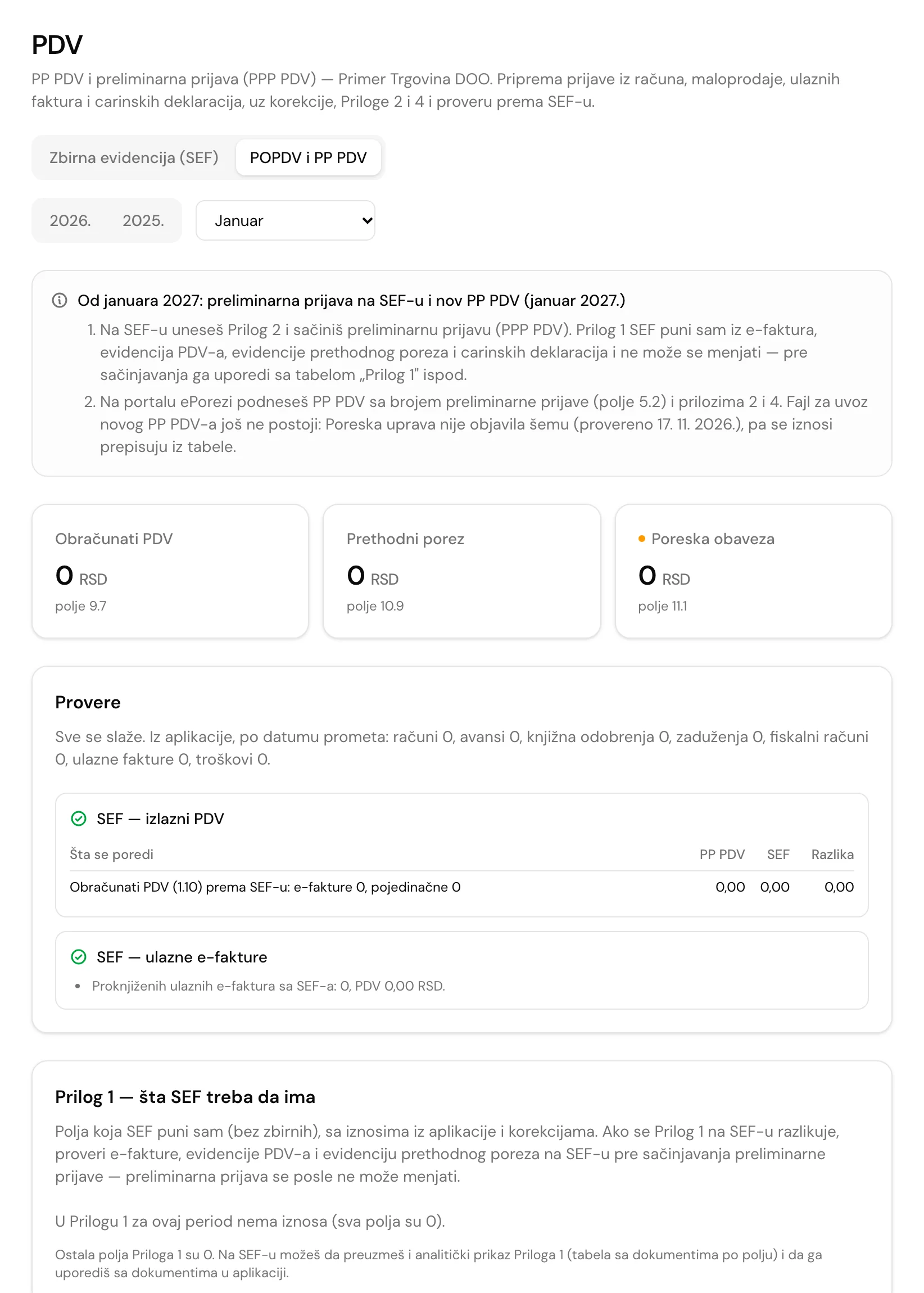
For tax periods from January 2027 the POPDV is no longer filed: SEF creates a preliminary return (PPP PDV), and a new PP PDV with attachments is filed on ePorezi.
Amounts by field of the new form
The PPP PDV and PP PDV fields are filled from invoices, retail sales, received invoices and customs declarations, with the accountant’s adjustments. A negative amount in a field where minus is not allowed is flagged as an issue to check.
What SEF should have in Attachment 1
A table shows the amounts by field of Attachment 1 from your data. Compare it with Attachment 1 on SEF before creating the preliminary return, because a created return cannot be changed.
Attachments 2 and 4 and a table to copy
You enter Attachment 2 (turnover of equipment and buildings) and Attachment 4 (VAT corrections for earlier periods, totalled in field 12) in the app. A table to copy, as CSV, holds every field for the ePorezi portal.
VAT records, step by step

Set up the company
The company is in the VAT system, with a monthly or quarterly period. To send to SEF you enter the company’s API key.
Classify documents
Invoices, fiscal receipts and received invoices carry a turnover category and an input VAT type.
Record on SEF
You review the proposed summary record and send it, and you send individual records from invoices.
Prepare the return
POPDV and PP PDV with checks, then an XML for ePorezi or a table to copy.
Good to know before you start
- VAT records are an add-on to the Entrepreneur, DOO, Register and Hospitality plans. Companies set up in the app as VAT payers see it.
- You send records to SEF with your company’s API key, the same one used for e-invoices. You review the proposed amounts before sending.
- You or your accountant sign and file the return on the ePorezi portal, and the app prepares the amounts by field and an XML or a table for entry.
Works on desktop, tablet and phone – also as an app
On Android phones and tablets, get the app from Google Play (available in Serbia for now). An iPhone app is on the way; until then, open invoice.solve.rs in Safari and add it to your home screen. For Mac and Windows there is also a desktop app, with which invoices, pro formas and quotes work without internet (fiscal receipts still need internet). The interface is in Serbian; invoice PDFs can also be in English.
Get it on Google Play- Desktop
- Tablet
- Phone
- Each company’s data kept separate
- Interface in Serbian
- Cyrillic or Latin script
VAT records: frequently asked questions
Who keeps VAT records?
VAT payers, electronically in SEF, for tax periods from 1 January 2025. Data from e-invoices enters the records by itself, and you record turnover without an e-invoice from the app. Flat-rate traders outside VAT do not keep them.
What is the difference between a summary and an individual record?
A summary record is the turnover total for a period by rate, for turnover without an e-invoice, such as fiscal receipts. An individual record is one document, for example an invoice with VAT issued to a domestic legal entity that is not on SEF.
What is the deadline for recording VAT?
Recording is due by the 12th of the month after the tax period, and the VAT return is filed within 15 days after the period. That is why the proposed summary record opens for the previous month by default.
Can a record be corrected?
Yes. You cancel the summary record in the app, which cancels it on SEF too, and send a new one. A period has one active summary record. An individual record is cancelled from the document’s detail page.
What does the app fill in on the POPDV?
Fields from issued invoices, retail sales, received invoices, expenses and customs declarations. What the app cannot know, such as proportional deduction, the accountant enters as an adjustment.
What changes from January 2027?
For periods from January 2027, and from the first quarter for quarterly payers, the POPDV is not filed: SEF creates a preliminary return (PPP PDV), and a new PP PDV with attachments is filed on ePorezi. The app prepares the amounts by field, Attachments 2 and 4, a check of Attachment 1 against SEF and a table to copy.
See VAT records on a demo account
Tell us whether you file VAT monthly or quarterly and whether you have retail sales. The demo account lasts 10 days, and we set it up together.
The demo account lasts 10 days. Most modules need us to set them up, so we open and set up the account together with you.
Related modules and solutions
- InvoicingIssued and received invoices, e-invoices, partnersLearn more
- Double-entry bookkeepingJournal entries, general ledger, APR statementsLearn more
- E-invoicing (SEF)Send and receive e-invoices without logging into the portal — statuses, accept/reject and VAT records.Learn more
- For accountantsAll client companies under one login, a monthly package for the accountant, IOS statements and ledgers.Learn more