

An online fiscal cash register, no dedicated device
Solve Kasa is an online fiscal cash register (ESIR) that runs in the browser – on desktop, tablet and phone – and issues receipts through the Serbian Tax Administration’s V-PFR. It is linked to inventory, the KPO book and the bank, and has an API for web shops.
- Web shops
- Order-based sales
- Small shops and services
- Accountants
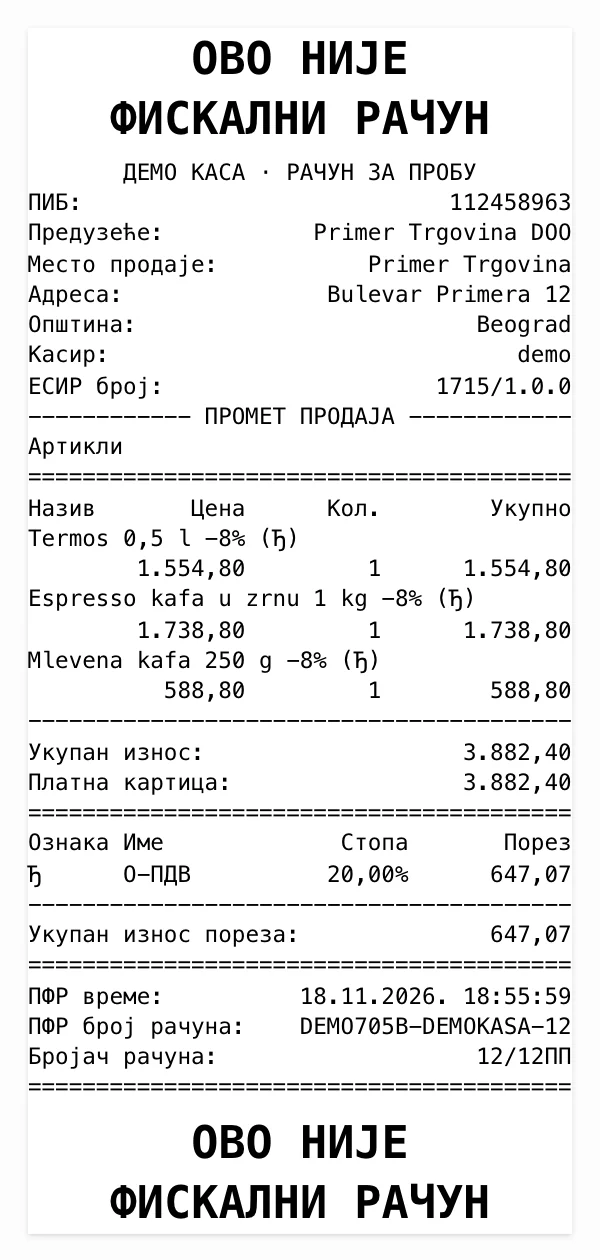
Awaiting Tax Administration approval. The Solve Kasa application has been submitted and is under review. Until it is approved, the register must not be used for real sales and runs in demo mode only; demo receipts carry the notice “ОВО НИЈЕ ФИСКАЛНИ РАЧУН” (this is not a fiscal receipt).
Leave your details and we’ll get back to you when the module is ready for real use.
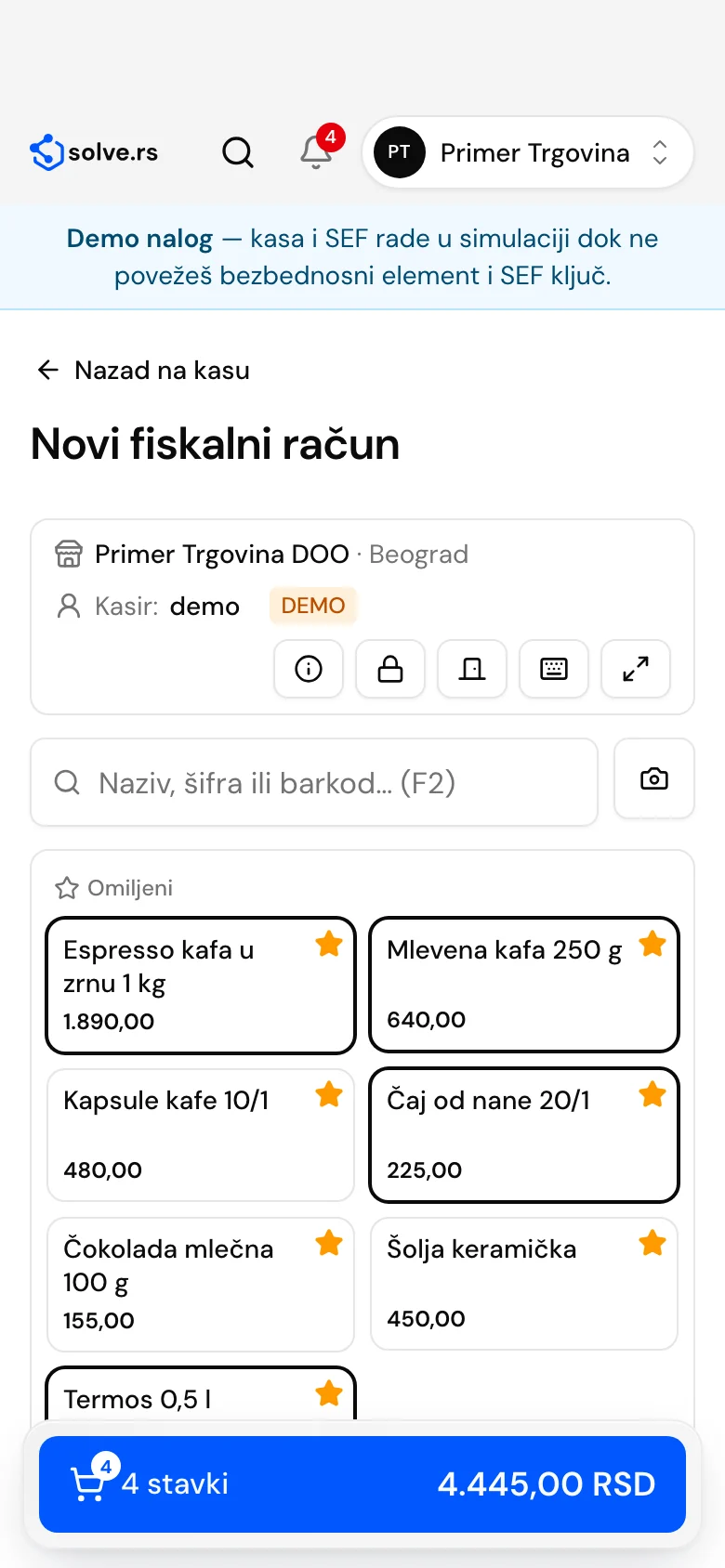
At a glance
- receipts via the Tax Administration, no register hardware
- V-PFR
- of receipts, each as sale and refund
- 5 types
- receipt printing with QR code
- 58 · 80 · A4
- for web shops
- API
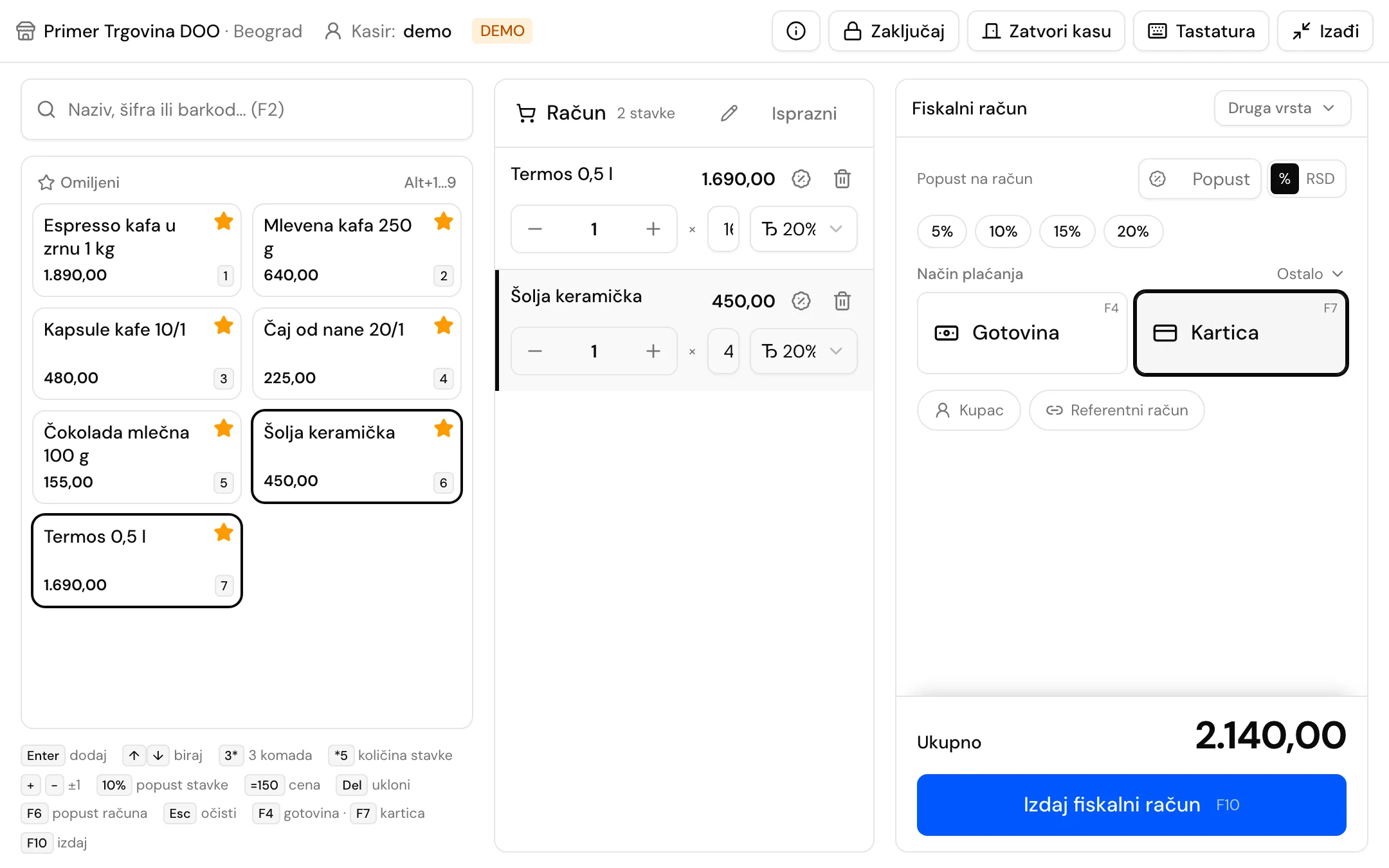
A fiscal register built for speed
Made for the counter and for the phone: large buttons, shortcuts and everything on one screen.
Shortcuts and full screen
F2–F10 shortcuts and Ctrl+Enter to charge, plus a “Full screen” mode that hides everything else.
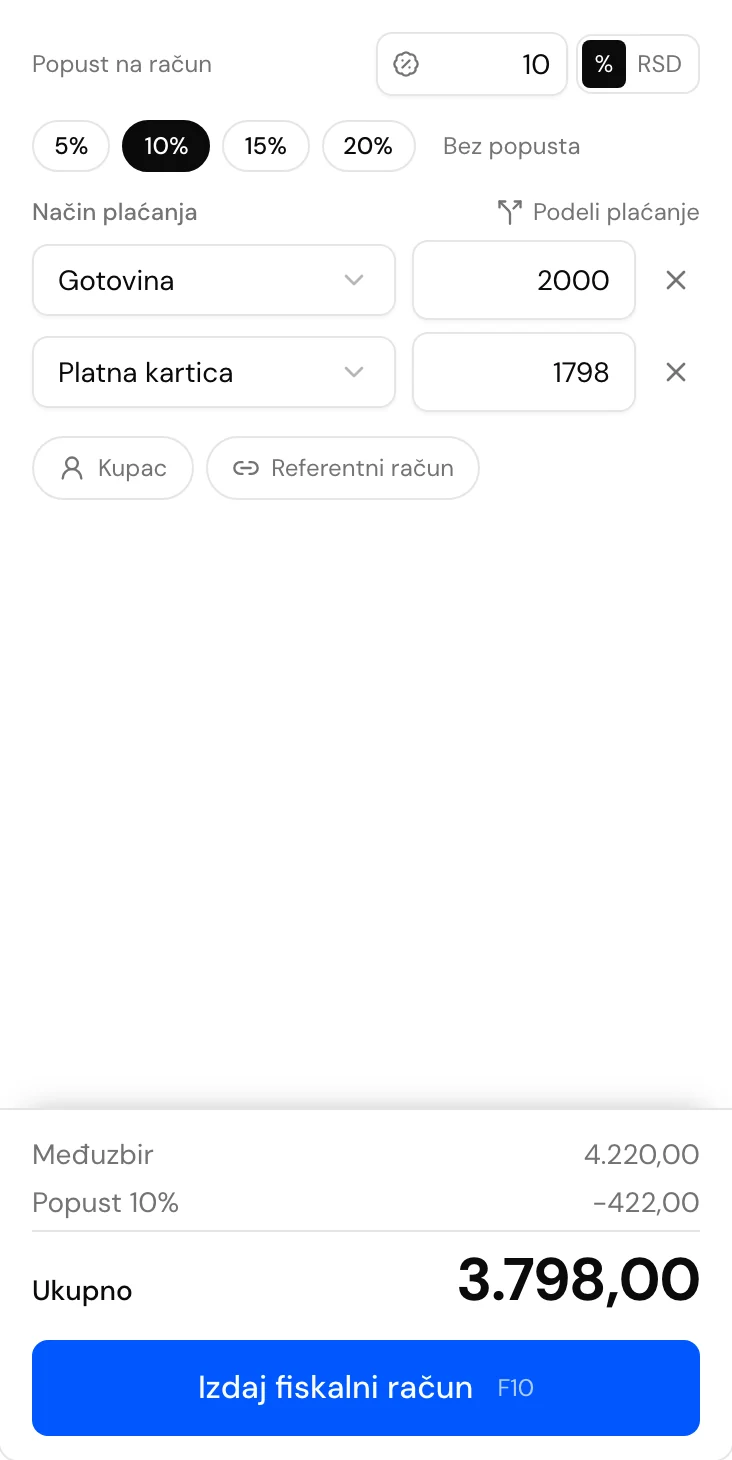
Several payment methods
Several payment methods on one receipt, with change calculated for you.
Discounts
A percentage discount on the whole receipt, with exceptions such as delivery, and per-item discounts as a percentage or dinars per piece.
Parked receipts
Park a receipt for later; an unfinished basket is kept on the device.
Barcodes
A scanner that works as a keyboard (USB or Bluetooth) or your phone’s camera. EANs are sent as GTIN.
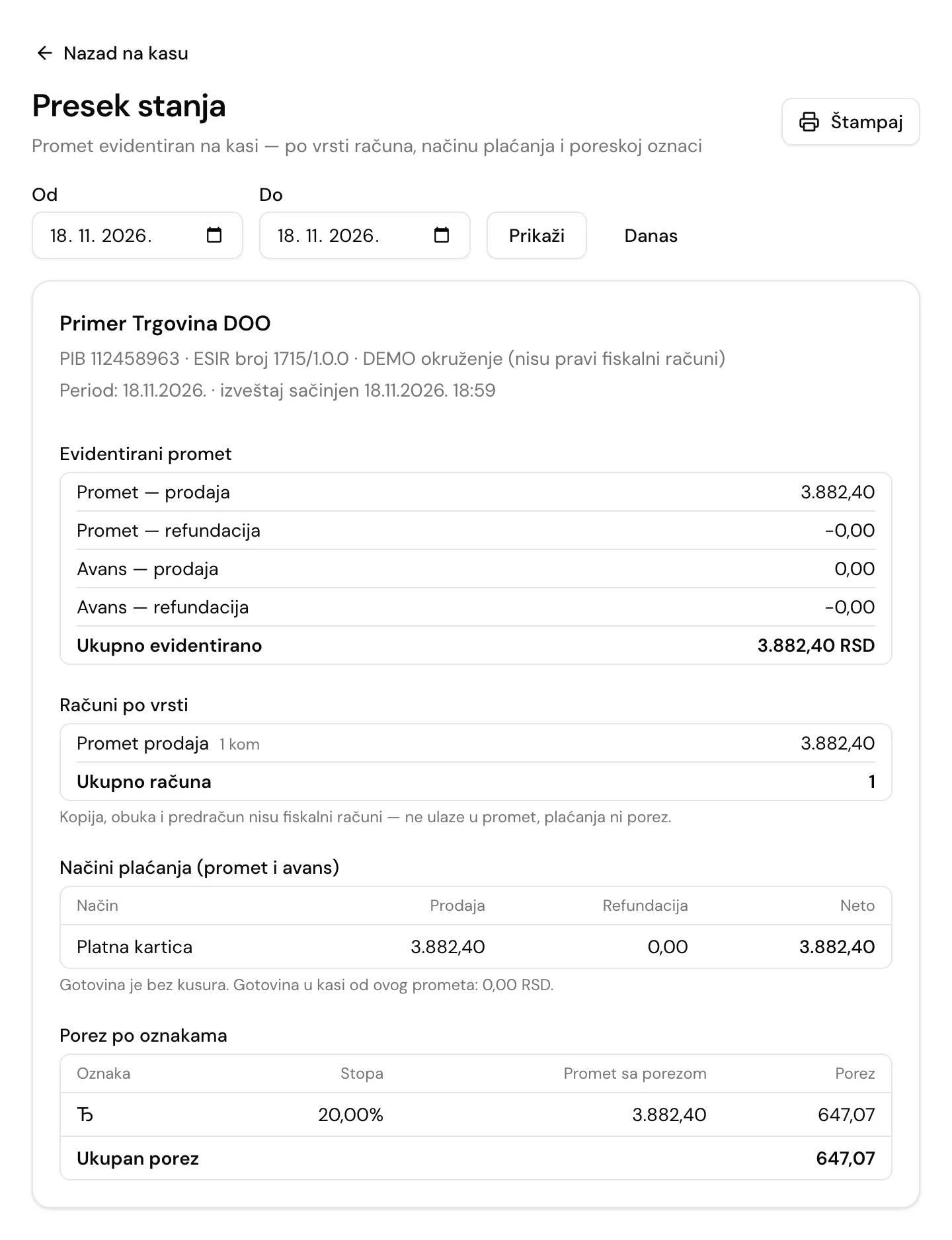
Cashiers, locking and the day report
Each cashier has their own account, and the till locks with a worker PIN, by hand or automatically. You can run a report for any period, and “Close the till” makes a day summary with the counted cash.
Every fiscal receipt type in one place
Normal, advance, pro forma, training and copy
Each receipt type exists as a sale and as a refund.
Refunds
Full or per item, and never more than was sold. The refund copy has a signature line.
Advances
A chain of advances, closed with one advance refund and a final receipt showing the amounts paid in advance and the VAT on them.
Printing and sending
Print on 58 mm, 80 mm or A4 with a QR code, with automatic and test printing. You can also download a receipt as an image (PNG), or send it by email or as a verification link.
Software security element
V-PFR works with your security element and PAK. The register fetches tax labels and rates itself and warns you 30 days before the certificate expires.
A fiscal receipt for every web shop order
Your shop sends the order from its server, and the register issues the receipt with the same calculation as when a cashier rings it up. The API also covers refunds and a customer address book for filling in shipments.
Never two receipts for one order
Calls are idempotent per order reference (external_ref): a repeated request returns the receipt already issued.
Amount check
A receipt is issued only if the register’s total matches what the customer paid (expected_total).
Keys stored as a hash only
You see the kasa_… key once; it is never stored in readable form. Revoking it takes effect immediately.
Shop SKUs and stock
Link your shop’s product codes (SKU) to register items, so every sale updates stock.
POST /api/pos/receipts
Authorization: Bearer kasa_…
Content-Type: application/json

{
  "external_ref": "shop:order:1234",
  "expected_total": 4870,
  "items": [
    { "sku": "MAJICA-M", "name": "Majica", "quantity": 2, "unit_price": 1990 },
    { "sku": "SOLJA", "name": "Šolja", "quantity": 1, "unit_price": 890 }
  ]
}
The same external_ref returns the receipt already issued – never two receipts for one order.
A register linked to inventory, the KPO book and the bank
Inventory
Sales reduce stock, including raw materials by recipe, and refunds put it back.
KPO book
Register turnover goes into the KPO book as one row per day.
Bank
A single courier cash-on-delivery payout is matched to several fiscal receipts at once.
A tablet as the register
Pair a tablet with a QR code and it works as a device account that sees only the register.
What you can use while approval is pending
Import receipts from another ESIR
Import the fiscal receipts your current register issues as PDF: they go into your records and the KPO book and reduce stock.
Demo register
A trial account can get a demo register with a simulator: no real credentials needed, and receipts carry the “this is not a fiscal receipt” notice.
The “Register only” package
Register, inventory and the KPO book in one package, for businesses that don’t need company invoicing.
Fiscal cash register, step by step
Request a trial account
Try the register in demo mode, with no real fiscal receipts.
Tax Administration approval
If and when the application is approved, we contact everyone who left their details.
Security element and first receipt
Upload your security element and PAK, and the register issues receipts through V-PFR.
Good to know before you start
- Solve Kasa is under review by the Serbian Tax Administration. Until it is approved, the register must not be used for real sales.
- The register needs a permanent internet connection through V-PFR. Offline operation (L-PFR) is not supported.
- There is an HTTP API for web shops. There are no ready-made plugins for WooCommerce, Shopify or WordPress.
- Receipts are printed through the browser’s print dialog, not directly over USB or Bluetooth. There is no link to card payment terminals.
Works on desktop, tablet and phone – installs like an app (PWA)
Open invoice.solve.rs in your browser and add it to your phone’s home screen. For Mac and Windows there is also a desktop app, with which invoices, pro formas and quotes work without internet (fiscal receipts still need internet). Nothing to download from an app store. The interface is in Serbian; invoice PDFs can also be in English.
- Desktop
- Tablet
- Phone
- Each company’s data kept separate
- Interface in Serbian
- Cyrillic or Latin script
Fiscal cash register: frequently asked questions
Is Solve Kasa approved by the Tax Administration?
Not yet. The application has been submitted and is under review by the Serbian Tax Administration. Until it is approved, the register runs in demo mode only and must not be used for real sales. We will announce it on this page when that changes.
Do I need a dedicated device?
No. The register runs in the browser on a computer, tablet or phone and issues receipts through the Tax Administration’s V-PFR. You need a permanent internet connection and a security element with its PAK.
Does the register work offline?
No. Solve Kasa works through V-PFR, the Tax Administration’s virtual fiscal processor, so it needs a permanent internet connection.
Can I connect my web shop?
Yes, through the HTTP API: the shop sends the order from its server and the register issues a receipt only if the amount matches. There are no ready-made WooCommerce or Shopify plugins, so connecting it takes a developer.
Can I already record receipts from another register?
Yes. Import fiscal receipts from another ESIR as PDF: they go into your records and the KPO book and reduce stock. In the Bank module, a courier cash-on-delivery payout is matched to several of those receipts.
Does the register support card payments?
You can mark several payment methods on a receipt, but there is no link to card payment terminals.
How much does the fiscal register cost?
The Solve Kasa add-on costs 600 RSD per month. The register is still awaiting Tax Administration approval, so until then it runs in demo mode only.
How will I know when it’s ready?
Click “Notify me when it’s ready” and leave your details. We will contact you once the Tax Administration approves Solve Kasa.
Want to be the first to know when it’s ready?
Leave your details and we’ll get in touch once the Tax Administration approves Solve Kasa. Until then, you can try it in demo mode.
No commitment. We’ll get in touch when the module is ready for real use.
Related modules and solutions
- Inventory & stockStock updates itself with every invoice, fiscal receipt and purchase invoice: recipes, goods intake, stocktaking and barcodes.Learn more
- KPO bookThe Serbian sole-trader ledger fills itself from invoices and fiscal receipts: official PDF form, CSV and RSD 6M/8M limit tracking.Learn more
- Bank & expensesImport XML bank statements and match payments, scan fiscal receipt QR codes and manage supplier invoices.Learn more
- Coming soonHospitalityFloor plan and tables, waiters with PINs, kitchen and bar tickets, QR menu and tablets as registers.Learn more