

Jig&Bau: Complete e-commerce platform in 24 hours
A specialized fishing-equipment store with a full product catalog, checkout and order management, a capable admin dashboard and an SEO-ready structure for a blog. Production-ready in one day.

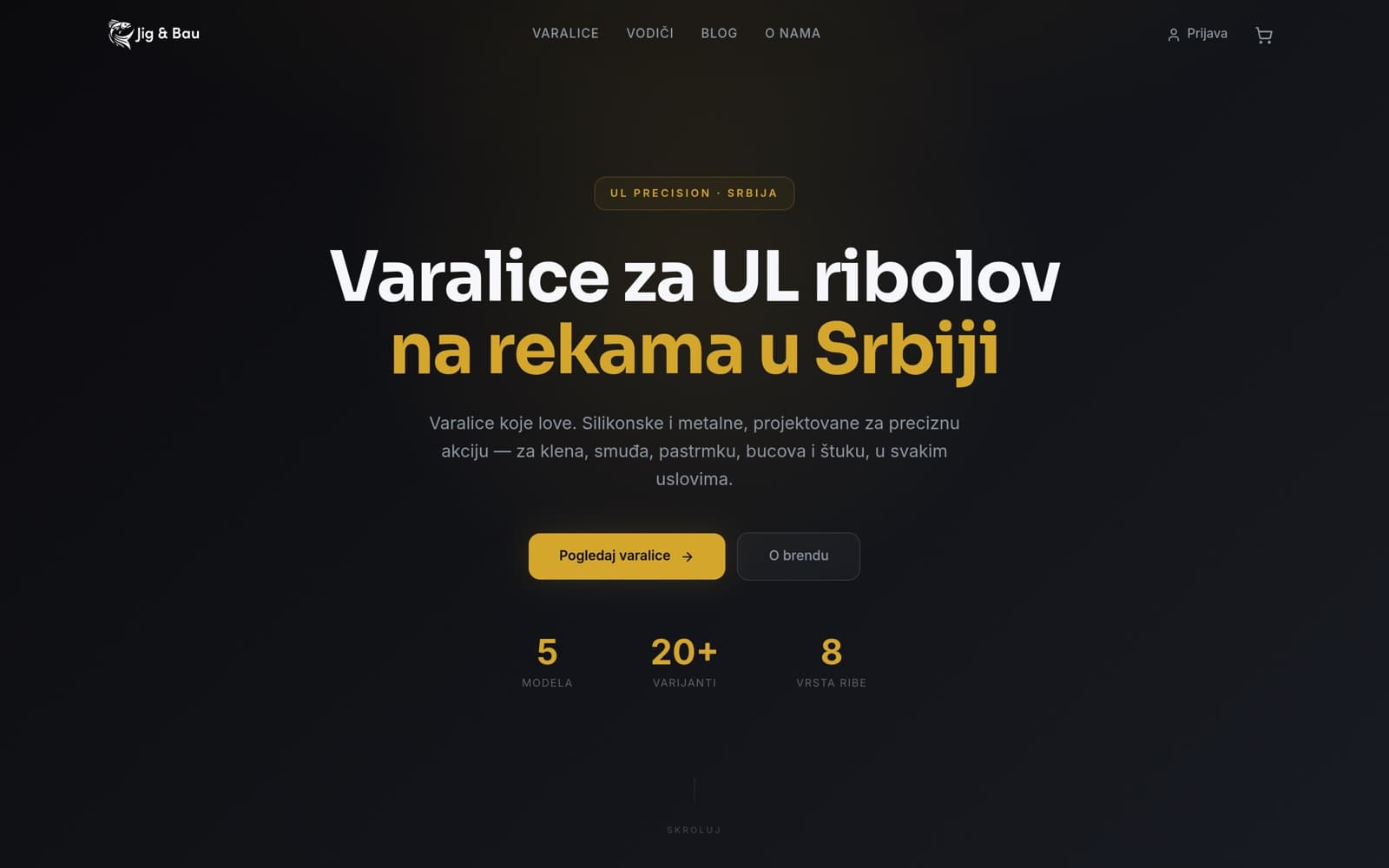
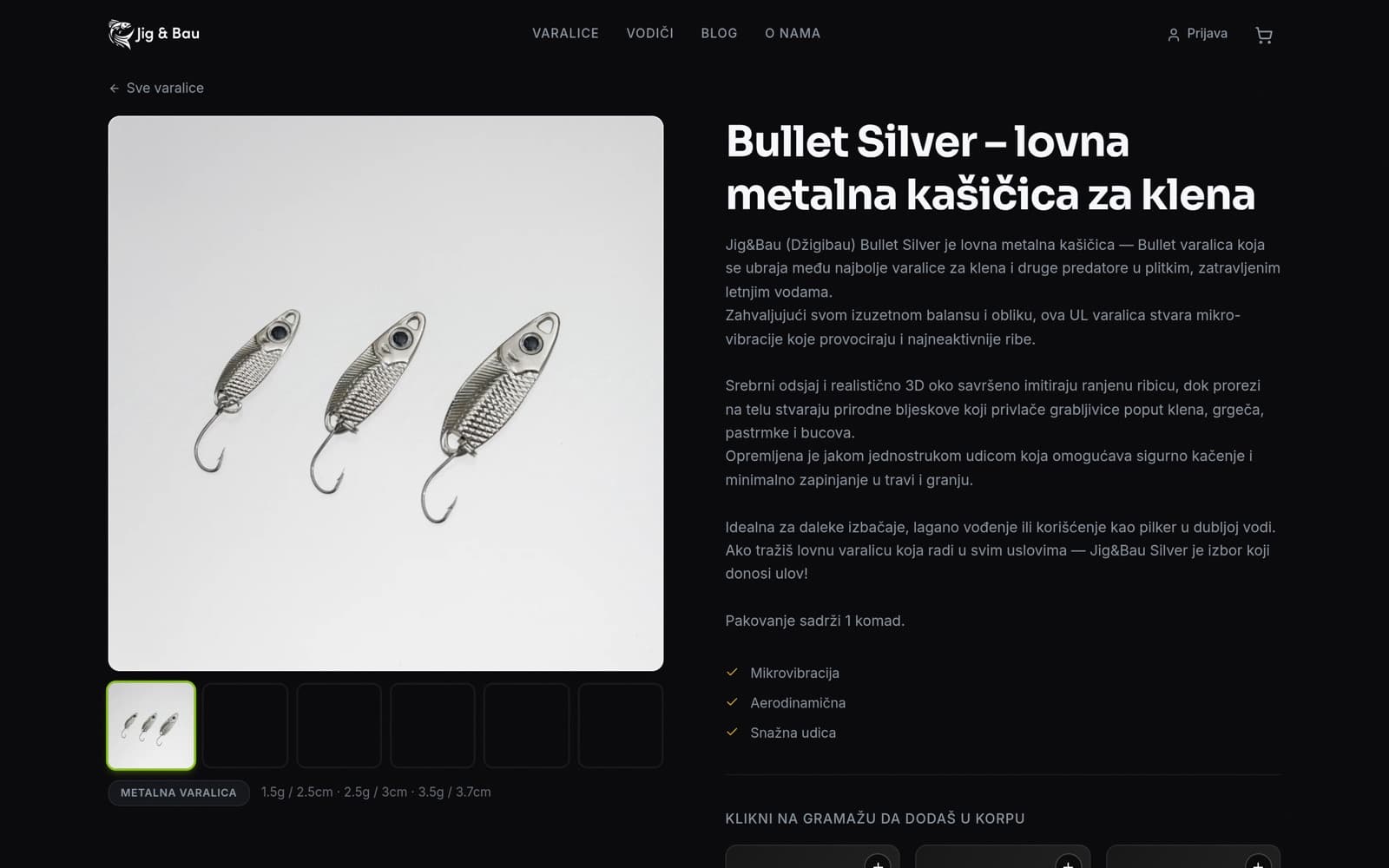
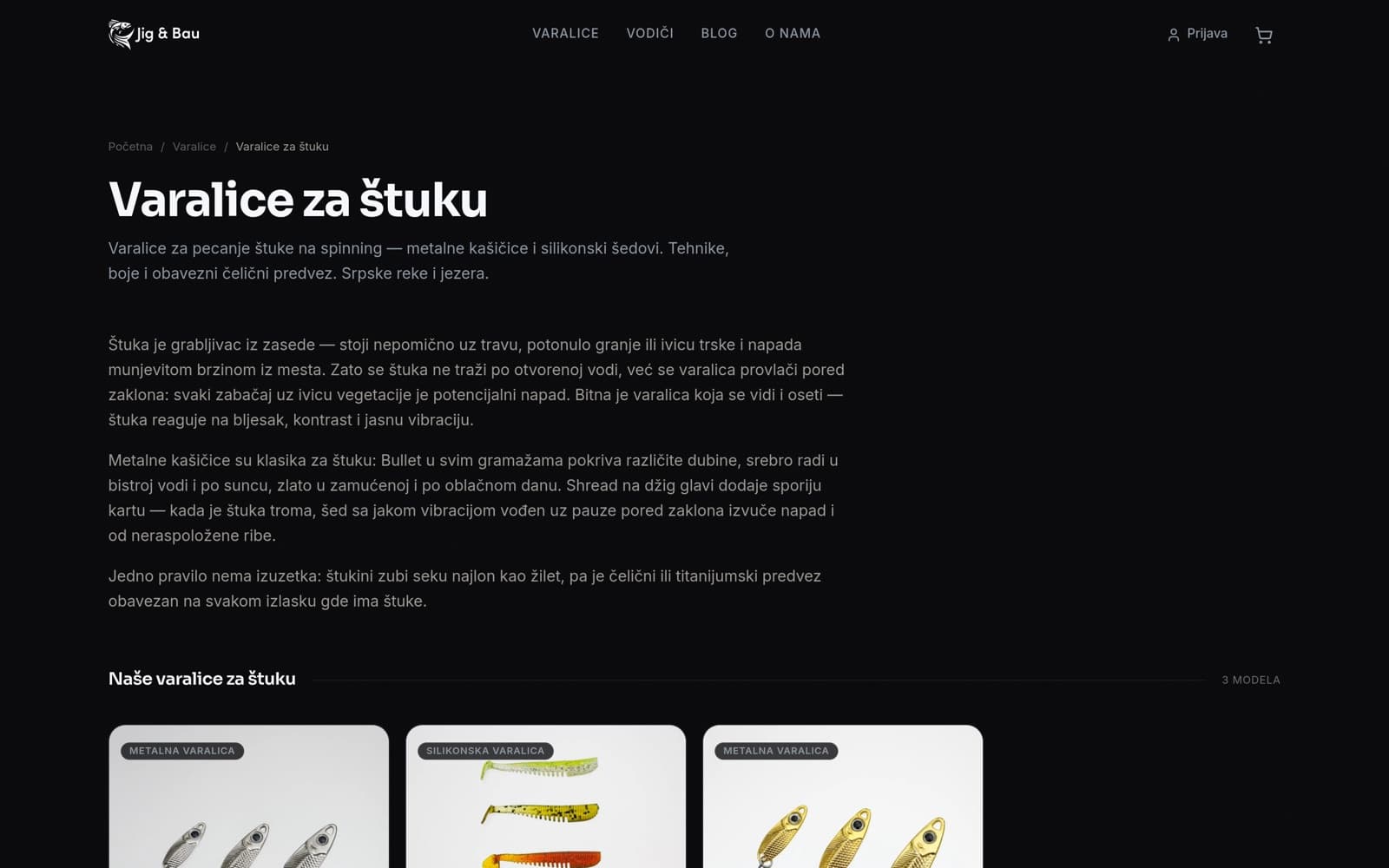
- Client
- Jig&Bau
- Industry
- E-commerce / Fishing Equipment
- Timeline
- 24 hours
- Status
- Live in Production
- Link
- Visit Site →
24 hours to production-ready store
- A specialized store for the fishing-gear niche
- Extremely tight deadline: a 24-hour build window
- A capable admin panel, not just basic product entry
- An SEO-ready structure for content marketing from day one
- Complete checkout and order management
Full-stack e-commerce system
- Built a full-stack e-commerce store on Next.js 13
- Built the cart, checkout and order confirmation emails
- Created a comprehensive admin dashboard
- Implemented a product catalog with categories and variants
- Laid an SEO foundation ready for a blog and landing pages
Speed meets quality
Complete E-commerce Feature Set
Every feature an e-commerce business needs to launch and grow, built and deployed in 24 hours.
Product Catalog
Full product management with categories, variants, pricing, inventory tracking, and image galleries.
Shopping Experience
A clear catalog by category, product pages with variants, a simple cart and a mobile-optimized checkout.
Checkout & Confirmation
Streamlined checkout flow with order confirmation and receipt emails.
Admin Dashboard
Complete back office for product management, order processing, customer data and a sales overview.
SEO Foundation
Per-page metadata, structured data, a sitemap and a structure ready for a blog and landing pages.
Order Management
Real-time order tracking, status updates, fulfillment workflows, and customer notifications.
Professional operations interface
The admin panel covers day-to-day operations — from product management to order fulfillment and a sales overview.
Product management
CRUD operations, categories, inventory tracking, image uploads
Order management
Order tracking, status updates, customer communication, fulfillment
Sales overview
Order count, pending orders, revenue and latest orders on one screen
Content management
Edit the homepage, brand story and FAQ without a developer
Fiscal receipts and D Express from the admin panel
Later we added what selling online needs every day: D Express shipments with labels and tracking, and a fiscal receipt for each order from our own cash register.
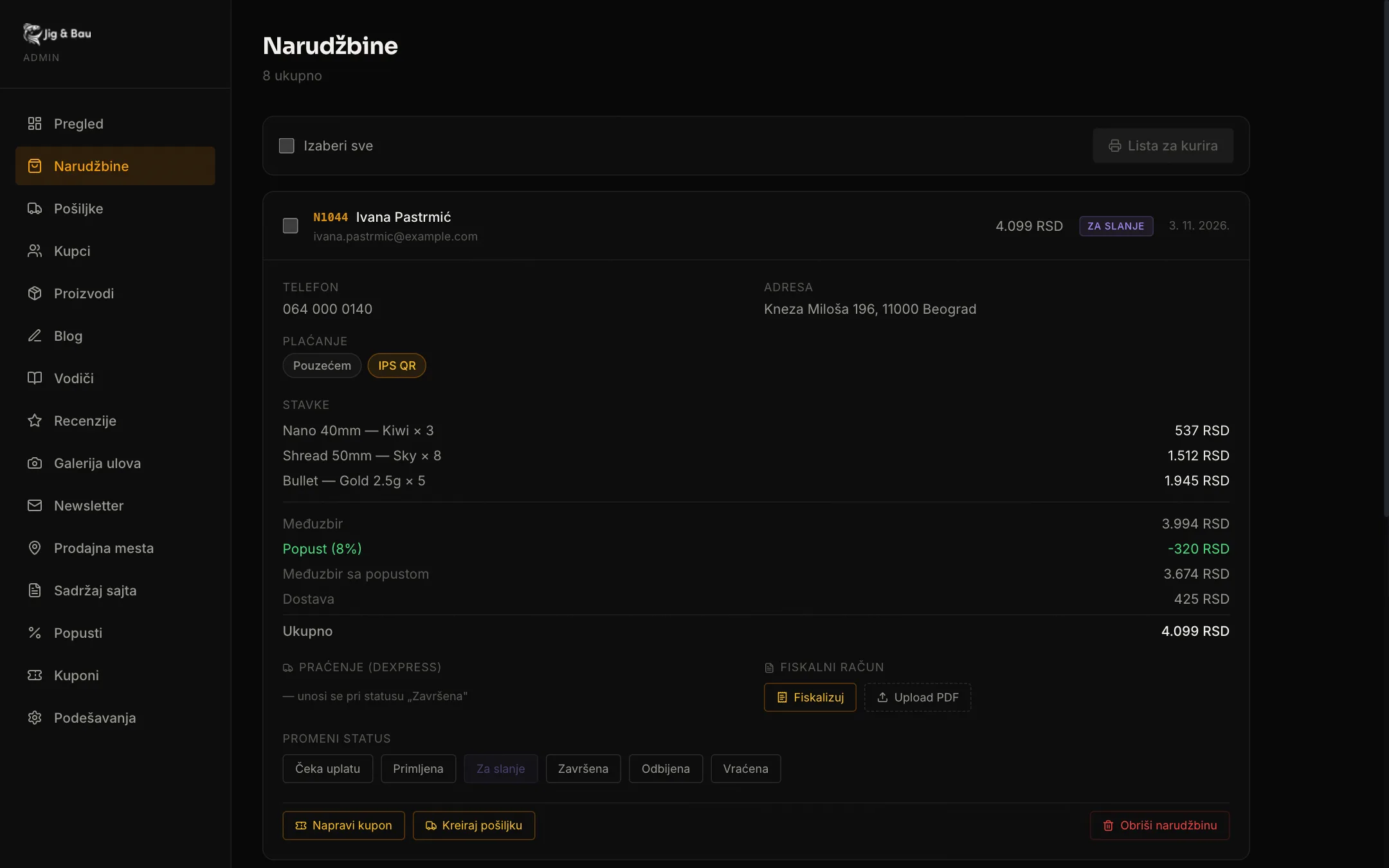
The order in the admin
Everything about an order is on one screen: status, customer, items and total. The next step starts from there, a shipment or a fiscal receipt.
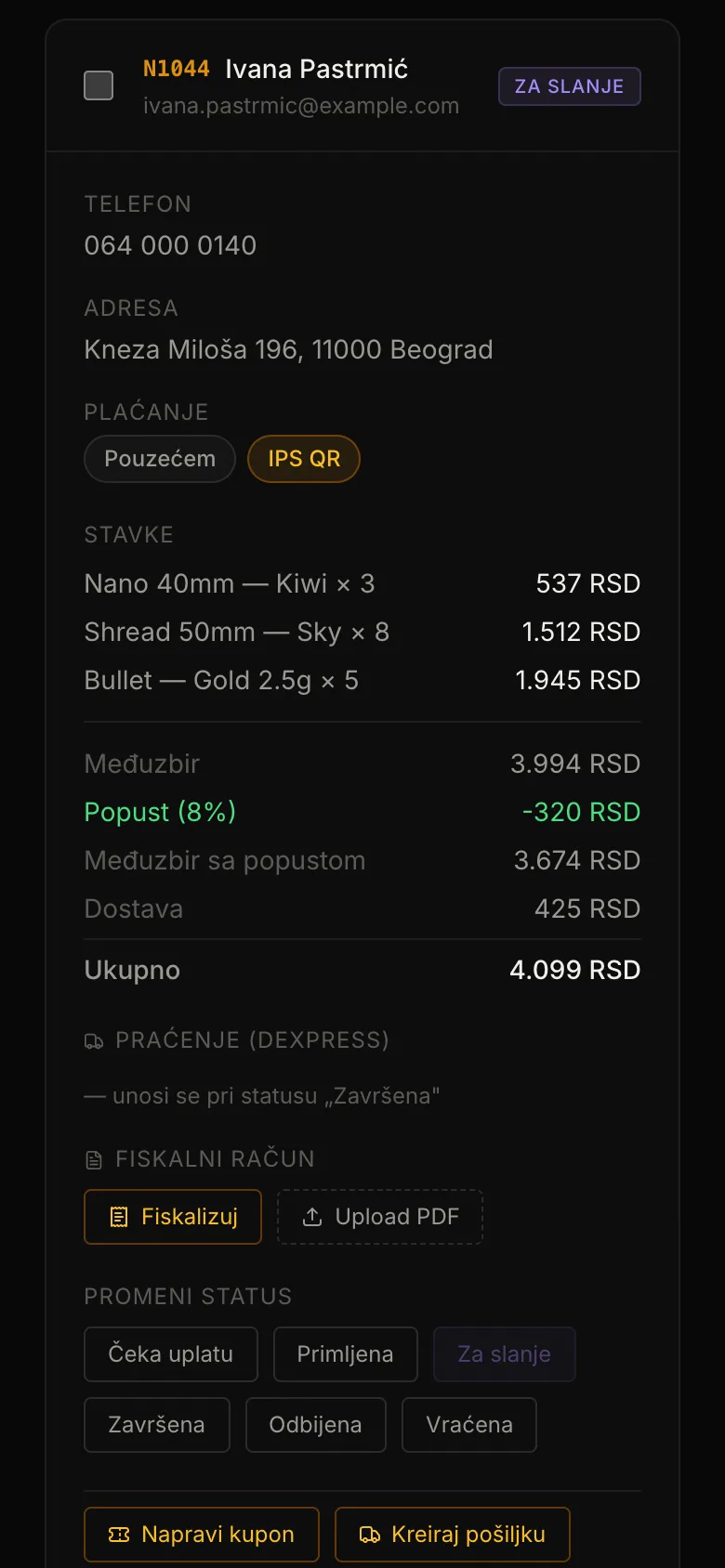
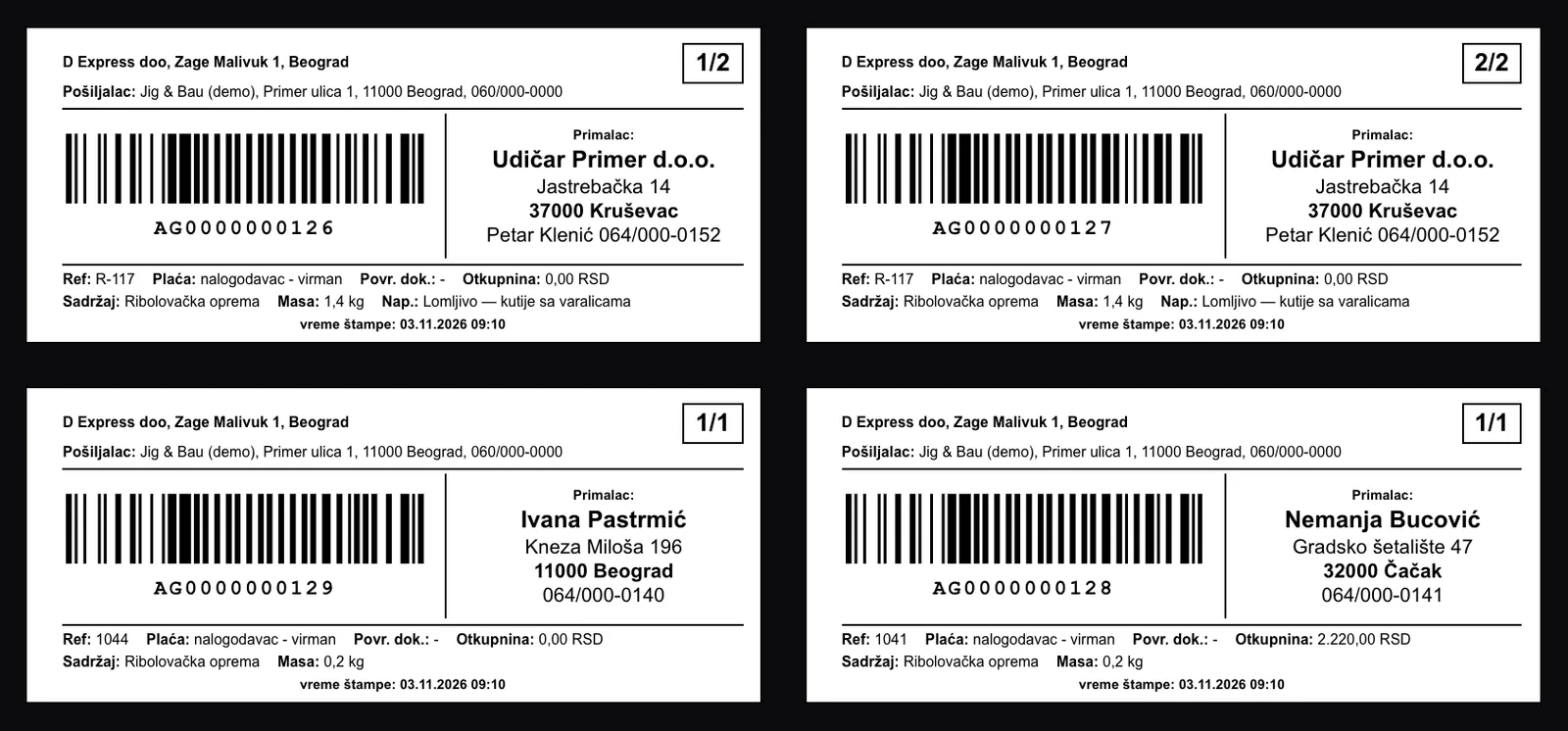
D Express shipment and label
Since September 2026 a shipment is created from the order or entered by hand, and labels print to D Express’s official specification. The D Express integration has been in production since 1 October 2026.
- Calls to D Express are made only from the server
- A guard against duplicate shipments
- A pickup list for the courier
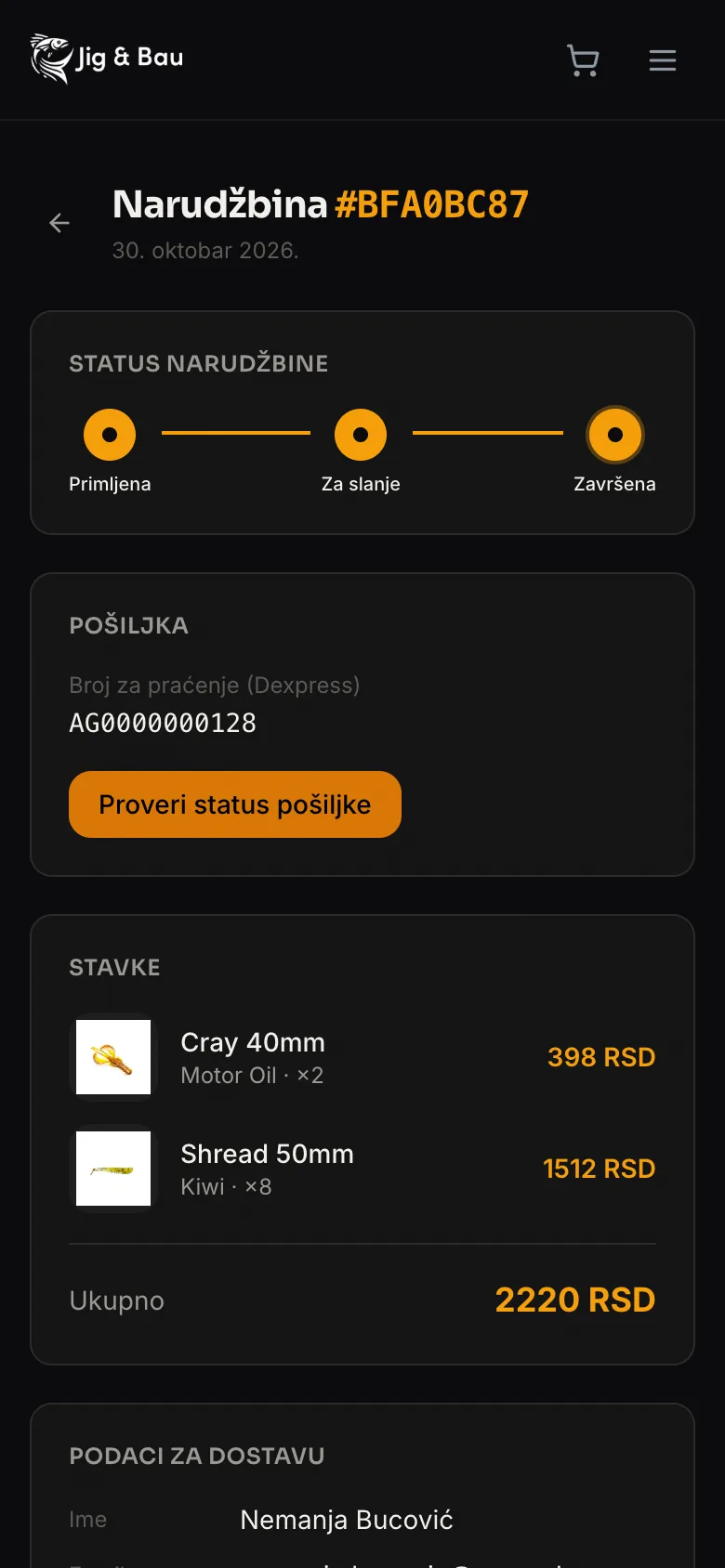
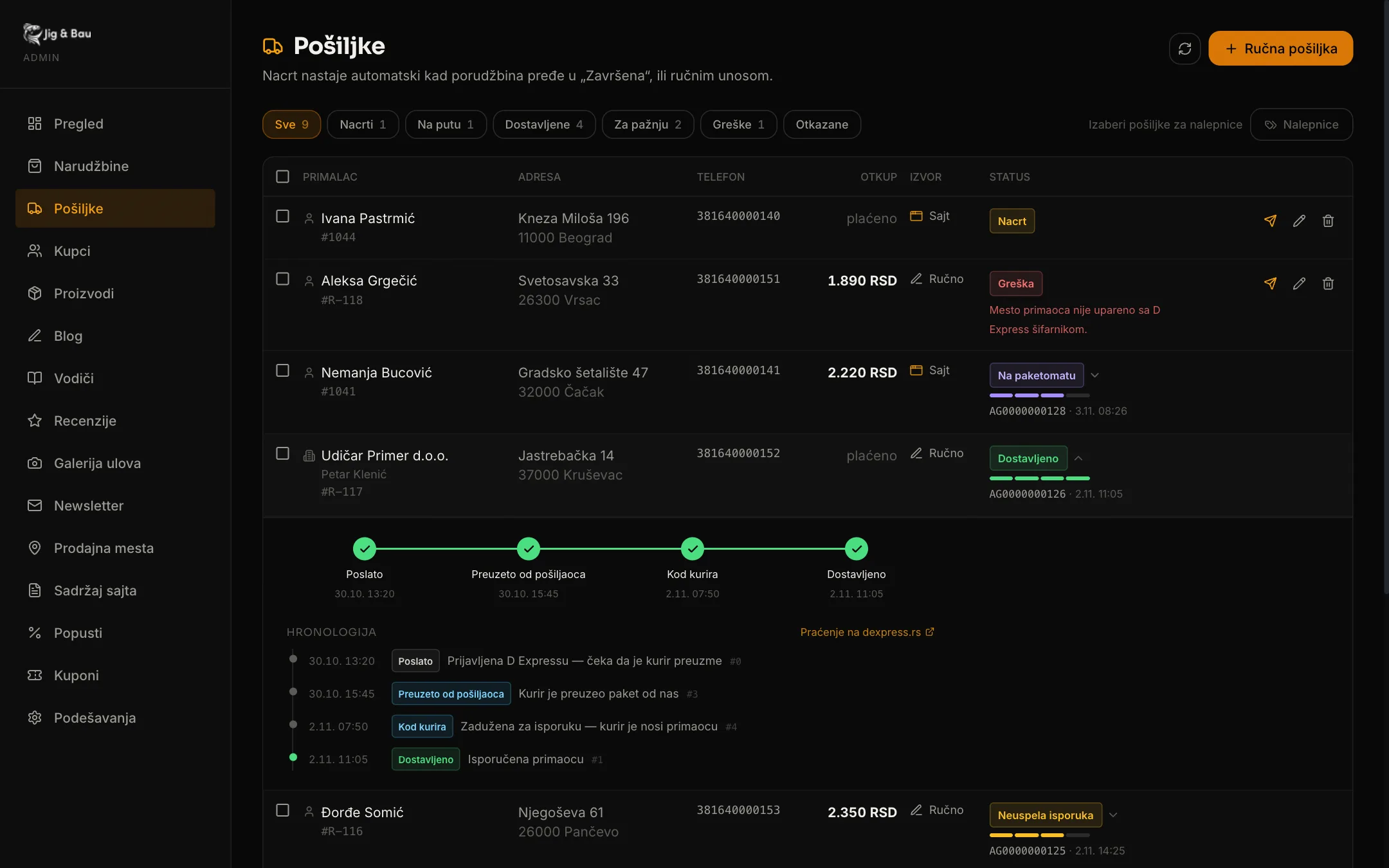
Tracking to delivery
Statuses come from D Express and show as a Sent → Picked up → With the courier → Delivered bar, with an event timeline. On the order page the customer gets a tracking number linking to dexpress.rs.
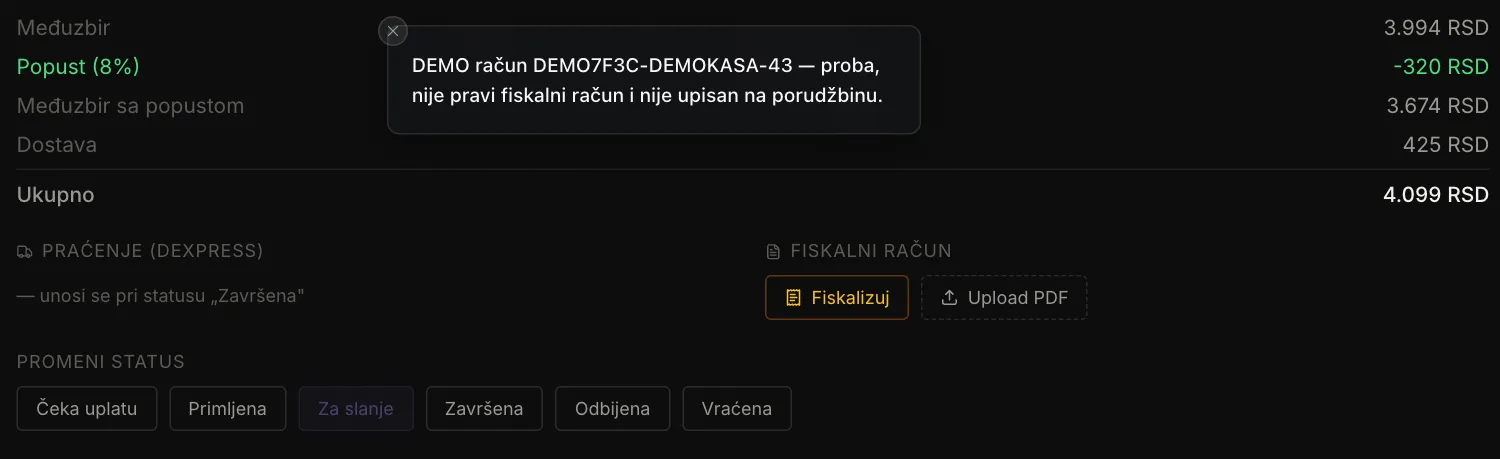
A fiscal receipt in one click
Since October 2026 the admin clicks “Fiskalizuj” (fiscalise) to send the order to our cash register (invoice.solve.rs) through its API. Fiscalisation is manual, and the receipt goes to the customer only when the admin decides. While the register awaits Tax Administration approval, this step runs only in a demo environment.
- Clicking twice returns the same receipt
- The register checks the order total
- The customer gets it only on “Pošalji kupcu” (send to customer)
Cash-on-delivery payouts in the bank
When D Express pays out the cash it collected, invoice.solve.rs matches that one payment to several fiscal receipts at once: it proposes the receipts that add up to exactly the payout.
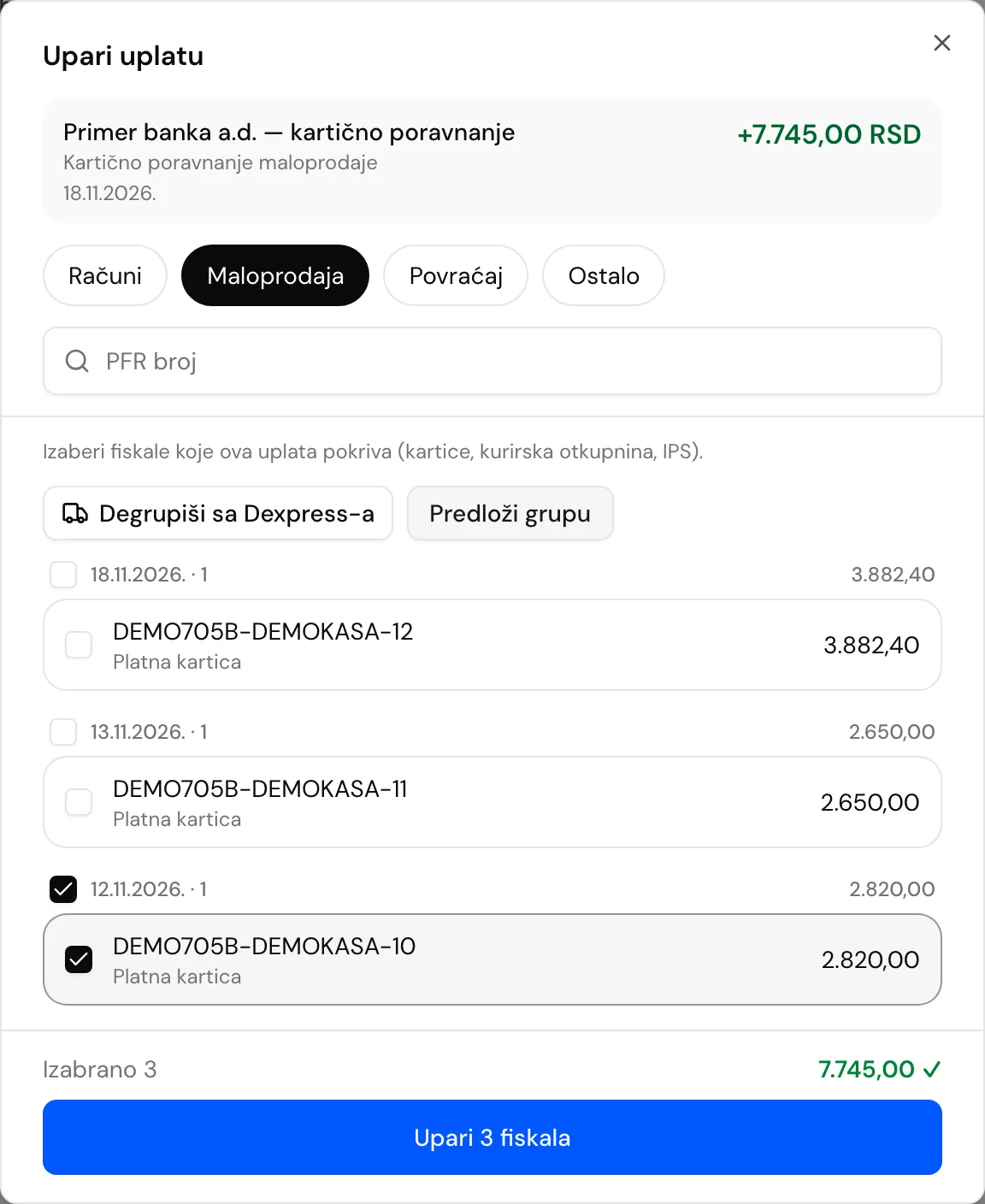
Screenshots are from a local copy with demo data; the interface is in Serbian. Solve Kasa is awaiting approval from the Tax Administration; until then “Fiskalizuj” runs in a demo environment and the receipt is not saved to the order. The receipts in the bank screenshot are invented demo receipts.
Modern e-commerce stack
Frontend
- Next.js 13
- TypeScript
- Tailwind CSS
- React Server Components
Backend & Database
- Next.js API Routes
- Supabase
- PostgreSQL
Checkout & Orders
- Cart & checkout
- Order processing
- Order statuses
- Email notifications
SEO & Marketing
- Metadata API
- Structured data (JSON-LD)
- Sitemap & robots.txt
- Blog-ready structure
24-hour sprint breakdown
Foundation & Authentication
- Next.js 13 project setup with TypeScript
- Supabase database schema design
- User authentication and admin roles
- Basic product and order tables
- File upload configuration
Core E-commerce
- Product catalog with categories
- Shopping cart functionality
- Checkout flow implementation
- Payment method step
- Order confirmation emails
Admin Dashboard
- Product CRUD interface
- Order management system
- Inventory overview
- Customer details on orders
- Sales and revenue overview
SEO & Deployment
- Per-page SEO metadata
- Structured data (JSON-LD)
- Sitemap and robots.txt
- Production deployment
- Testing and QA
How we spent the 24 hours
Planning Phase
2 hoursDatabase schema design, feature prioritization, and technology stack finalization.
Core Development
14 hoursProduct catalog, shopping cart, checkout with payment method selection, and order processing.
Admin Dashboard
5 hoursComplete admin panel with product management, orders, inventory, and analytics.
SEO & Launch
3 hoursMetadata, structured data, sitemap, deployment and final testing.
Key learnings from this project
Modern Stack Enables Speed
Next.js 13 with Server Components and Supabase eliminated thousands of lines of boilerplate. The right tools let you focus on features, not infrastructure.
Admin UX Matters from Day One
A well-designed admin panel isn’t a nice-to-have — it’s critical for operations. Investing time in admin UX pays dividends in daily efficiency and reduced errors.
SEO-First Architecture
Building SEO structure from day one is easier than retrofitting it later. With metadata, structured data and clean URLs in place from the start, a blog and landing pages can be added without rework.
24-Hour Timeline Forces Clarity
Extreme time constraints eliminate feature creep and force focus on core value. Every feature must justify its existence — no room for “nice to haves.”
Need an e-commerce platform?
We can build a custom online store for your business, complete with an admin dashboard, order management, D Express delivery, fiscal receipts from our POS and an SEO foundation for content marketing.
Explore other projects

Masterfish
Logo, brand and a fishing tackle online store

Azzuro.rs
A WooCommerce store from idea to revenue

Vodostaj.rs
React SPA → Next.js, #1 Google rankings