

Bank statement import and payment matching without retyping
Import an XML statement and the app suggests which invoice or fiscal receipt a payment belongs to. An invoice counts as paid once it is matched to a bank payment. A cash book with a daily journal comes with the statements, and courier bulk payments are split by COD matching.
- Sole traders
- Entrepreneurs keeping books
- LLCs
- VAT payers
The demo account lasts 10 days and we set it up together with you. Plan prices exclude VAT and are on the Pricing page.
At a glance
- XML statements: Raiffeisen, Addiko and camt.053
- 3 formats
- one payment matched to several invoices or receipts
- 1 → many
- daily orders, takings from the till and deposits
- Cash book
- keep the dinar equivalent and the original currency
- FX statements
Import bank statements in XML
Download the statement from e-banking and drop it into the app. No transaction gets retyped.
Format detected automatically
Raiffeisen (including foreign-currency statements), Addiko and ISO 20022 camt.053. You don’t pick the bank or format; the app reads it from the file.
Several files at once
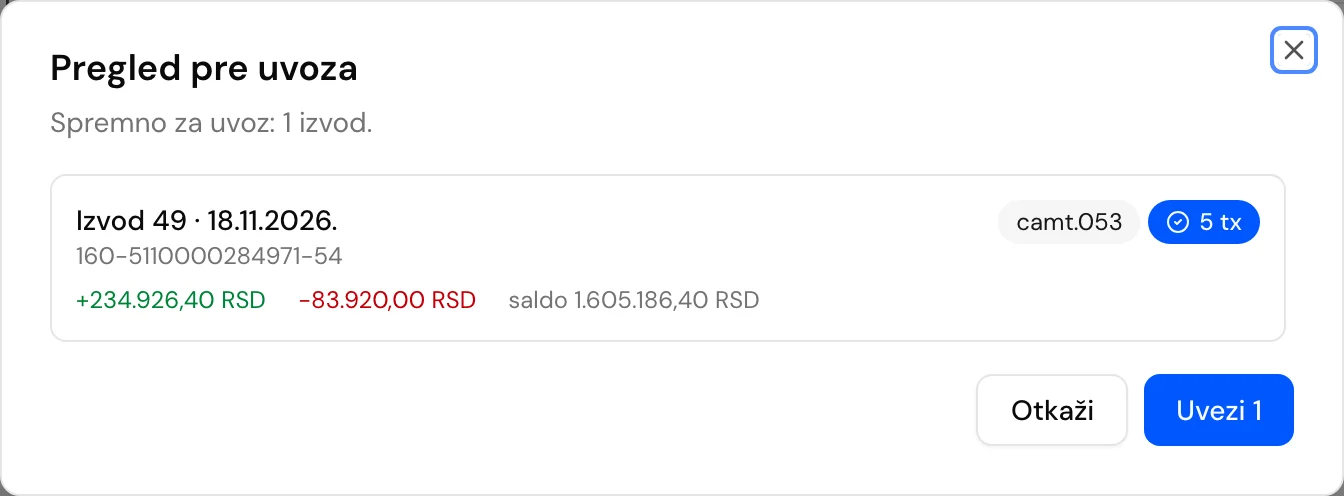
Import a whole month in one step. You get a preview first, and transactions that already exist are skipped.
Foreign-currency statements
Each foreign-currency transaction keeps both the dinar equivalent and the original currency, such as USD or EUR.
The original stays attached
The original XML, PDF or CSV file is stored with the statement, so your accountant can always find it. Statements also export to CSV.
Match payments to invoices and fiscal receipts
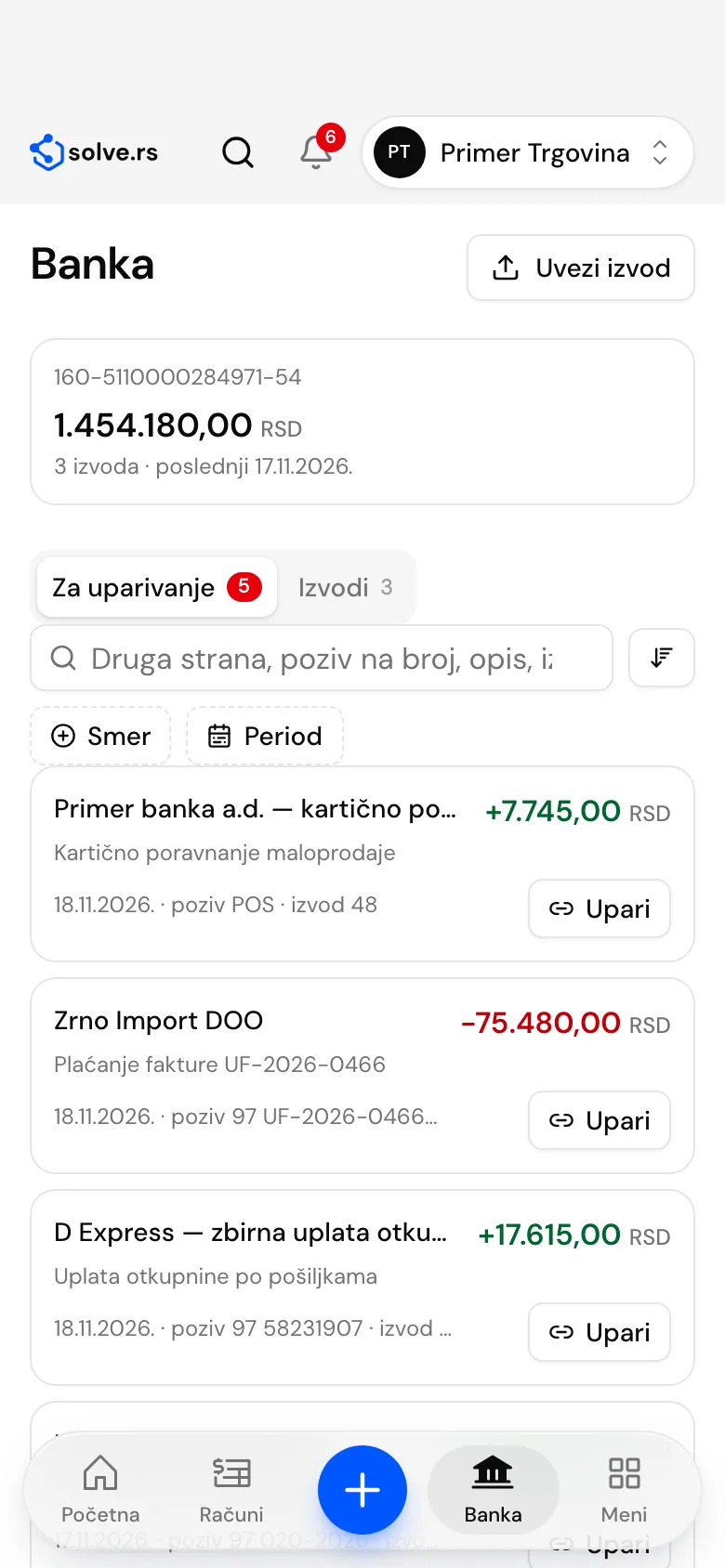
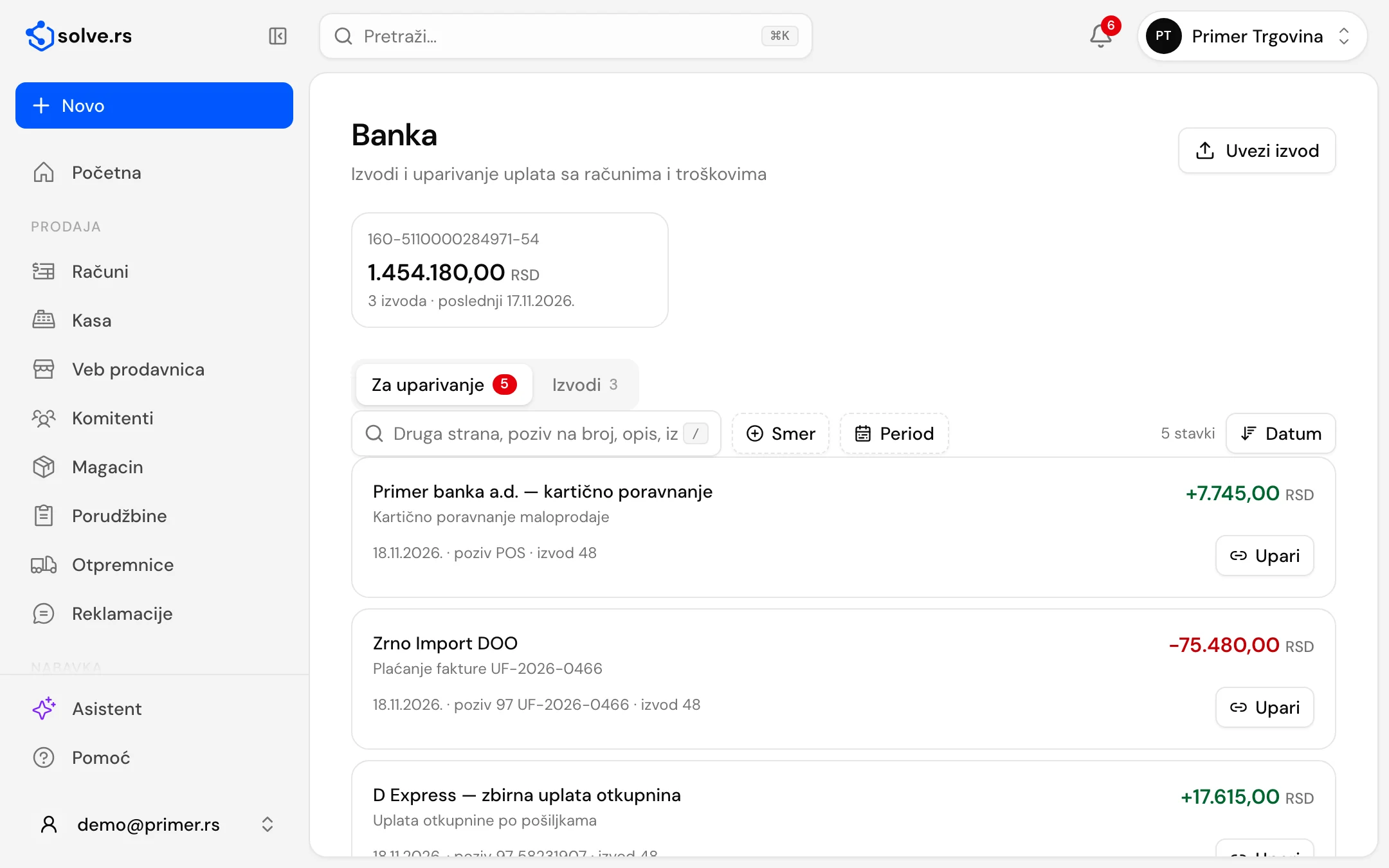
An invoice counts as paid once it is matched to a bank payment. That makes the Bank screen a to-do list of everything still unmatched.
Suggested matches
Unmatched transactions wait as tasks, with a suggested invoice, fiscal receipt, expense or supplier invoice. Confirm the suggestion or pick another document.
One payment, several invoices
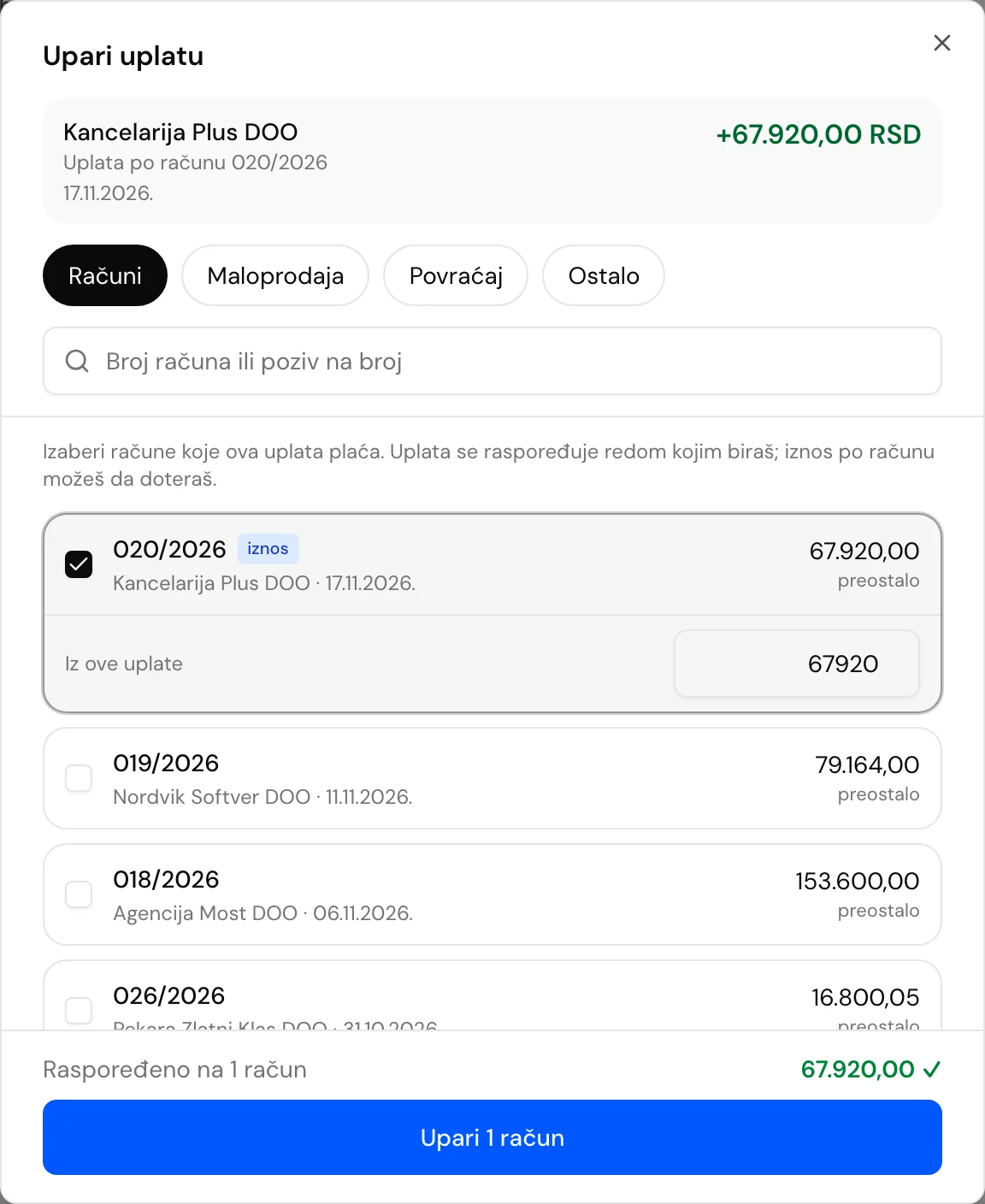
Match one incoming payment to several invoices at once, with partial payments and advances. Each invoice shows what was paid and what is left.
Courier bulk payments
When a courier (for example D Express) pays out collected cash on delivery in one sum, COD matching splits it into individual amounts and suggests the fiscal receipts that match.
Outgoing payments
Link each outgoing payment to an expense or a supplier invoice, so the bank view also shows what you paid suppliers.
The cash book, payments and outflows from the statement
The cash book
Daily receipt and payment orders (U- and I-), takings from the till, deposits into the account within 7 working days with a warning when the deadline passes, and a cash journal as a PDF. A closed day is corrected by reversal.
Payments and payment slips
Transfer orders and payment slips with an IPS QR code are in every plan. When an outflow of the same amount arrives on the statement, the order is closed.
Refunds and reimbursements
You match a refund from the statement to an earlier outflow, one outflow can pay several expenses (reimbursing an employee), and payments for travel orders are matched from the statement.
Wages and taxes from the statement
Wage payments and tax and contribution payments are recognized on the statement, and payroll shows “paid by statements”.
Bank, step by step

Download the XML statement
In e-banking, choose the XML format (Raiffeisen, Addiko or camt.053).
Import one or more files
The app detects the format, skips duplicates and shows a preview before import.
Confirm the suggestions
Unmatched transactions come with a suggestion: an invoice, receipt, expense or supplier invoice.
Paid means matched
Invoice status follows bank payments, including partial payments and one payment for several invoices.
Good to know before you start
- Bank is in every paid plan, including the Sole Trader plan.
- Verified statement formats are Raiffeisen (including foreign currency), Addiko and camt.053. For another bank, send us a sample statement before you start.
- You export the statement from e-banking as XML: matching works from the XML file, and a PDF statement is stored as an attachment.
Works on desktop, tablet and phone – also as an app
On Android phones and tablets, get the app from Google Play (available in Serbia for now). An iPhone app is on the way; until then, open invoice.solve.rs in Safari and add it to your home screen. For Mac and Windows there is also a desktop app, with which invoices, pro formas and quotes work without internet (fiscal receipts still need internet). The interface is in Serbian; invoice PDFs can also be in English.
Get it on Google Play- Desktop
- Tablet
- Phone
- Each company’s data kept separate
- Interface in Serbian
- Cyrillic or Latin script
Bank: frequently asked questions
Which banks are supported for statement import?
Verified formats are XML statements from Raiffeisen (including foreign currency) and Addiko, and the camt.053 format (ISO 20022). The format is detected automatically. If your bank uses another XML format, send us a sample before you start.
How do statements get into the app?
You export the statement from e-banking and import it, several files at once if you like, and duplicates are skipped. You see a preview before the import.
What if one payment covers several invoices?
Match the payment to several invoices at once. Partial payments and advances are recorded, so each invoice shows what was paid and what remains.
How is a courier bulk payment split?
A courier pays one total for many parcels. COD matching splits it into individual amounts and suggests the fiscal receipts that match, and you confirm.
Where do I keep cash?
In the cash book: daily receipt and payment orders, takings from the till, deposits within 7 working days and a cash journal as a PDF.
Can I prepare a payment order?
Yes. Payments are in every plan: you create a transfer order or a payment slip with an IPS QR code from a supplier invoice, an expense, payroll or a tax. Once you import the statement, the outflow closes the order.
Can flat-rate sole traders use Bank?
Yes. Bank is in the Sole Trader plan, as in the other paid plans: statement import, payment matching and the cash book.
Import your first statement on a demo account
Tell us which bank you use and what kind of company you run (LLC, entrepreneur, VAT payer), and we’ll open a demo account for you.
The demo account lasts 10 days. Most modules need us to set them up, so we open and set up the account together with you.
Related modules and solutions
- FreeCOD matchingSplits D Express bulk paymentsLearn more
- InvoicingIssued and received invoices, e-invoices, partnersLearn more
- SettlementsDefault interest, offsets, exchange differencesLearn more
- For businessesInvoicing, SEF, bank, expenses, inventory and payroll for LLCs and sole proprietors who keep full books.Learn more
- For accountantsAll client companies under one login, a monthly package for the accountant, IOS statements and ledgers.Learn more